How to Choose the Right Website Builder for Your Business
Template Details
| Responsive | No |
Choosing the right website builder for your business is a critical decision that impacts your online presence, sales, and growth. The best website builder depends on your specific needs: for e-commerce, Shopify or BigCommerce; for content-driven sites, WordPress; for simplicity, Wix or Squarespace; and for local businesses, GoDaddy or Weebly. This guide breaks down the key factors—cost, scalability, design flexibility, and SEO tools—to help you pick the perfect platform for your business type and budget.
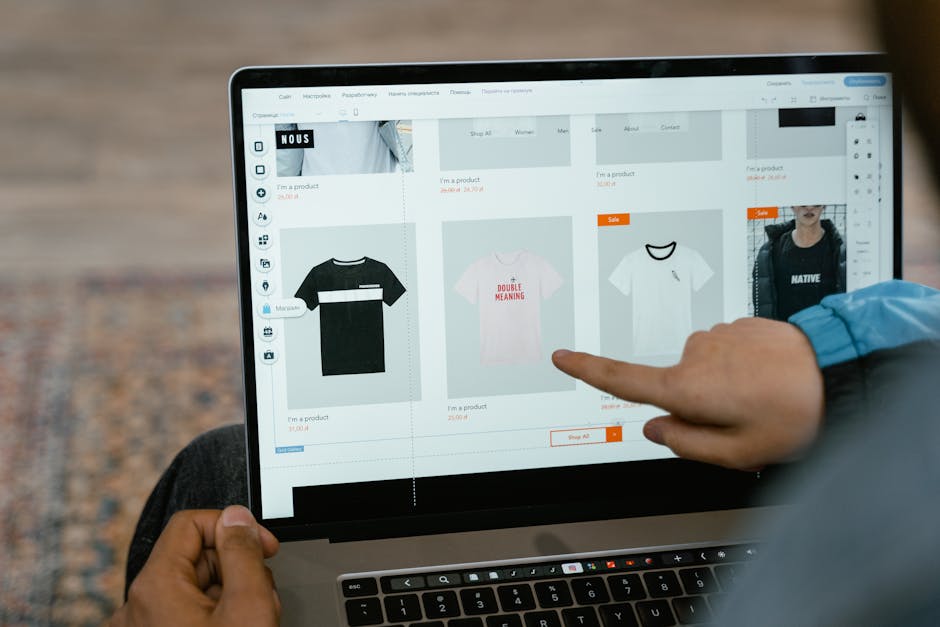
*Photo by Tranmautritam on Pexels*
## Why Your Website Builder Matters
Your website is often the first impression customers have of your business. A poor choice can lead to slow load times, limited features, or high ongoing costs. The right builder saves you time, money, and frustration.
Key benefits of choosing wisely:
- Faster launch time
- Better search engine rankings
- Lower maintenance costs
- Higher conversion rates
## Factors to Consider Before Choosing
### 1. Business Type and Goals
Your business model determines the features you need.
For e-commerce stores:
- Product management tools
- Payment gateway integration
- Inventory tracking
- Shipping options
For service-based businesses:
- Booking systems
- Contact forms
- Portfolio display
- Testimonial sections
For content creators:
- Blog functionality
- Media support
- SEO optimization
- Social sharing
### 2. Budget and Pricing Plans
Website builders range from free to premium. Don’t just look at the monthly fee—consider hidden costs like domain registration, SSL certificates, and premium plugins.
Typical pricing tiers:
- Free plans: Limited features, ads, and subdomains
- Basic paid ($10-20/month): Custom domain, no ads, basic features
- Business ($20-40/month): E-commerce, analytics, marketing tools
- Enterprise ($40+): Advanced customization, priority support

*Photo by Leeloo The First on Pexels*
### 3. Ease of Use vs. Customization
Drag-and-drop builders (Wix, Squarespace) are great for beginners but limit design control. CMS platforms (WordPress) offer full flexibility but require technical skills.
Consider your technical level:
- No coding skills: Choose Wix, Weebly, or GoDaddy
- Some HTML/CSS knowledge: Squarespace or Shopify
- Full control: WordPress or Drupal
### 4. SEO and Marketing Features
A beautiful site is useless if no one finds it. Look for built-in SEO tools.
Essential SEO features:
- Custom meta titles and descriptions
- Alt text for images
- XML sitemaps
- Mobile responsiveness
- Fast loading speeds
Marketing integrations:
- Email marketing (Mailchimp, Constant Contact)
- Social media sharing
- Analytics (Google Analytics, Facebook Pixel)
- Popup forms
### 5. Scalability and Growth Potential
Your business will evolve. Choose a builder that grows with you.
Scalability checklist:
- Can you add new pages easily?
- Are there upgrade options?
- Does it support multiple users?
- Can you integrate third-party tools?
Platforms that scale well:
- Shopify: From small shops to enterprise
- WordPress: From blogs to large portals
- BigCommerce: From startups to high-volume stores
## Comparison Table: Top Website Builders
| Feature | Wix | Squarespace | Shopify | WordPress | Weebly |
|---|---|---|---|---|---|
| Best for | Beginners | Designers | E-commerce | Content | Small biz |
| Ease of use | ★★★★★ | ★★★★☆ | ★★★★☆ | ★★★☆☆ | ★★★★★ |
| Design quality | ★★★★☆ | ★★★★★ | ★★★☆☆ | ★★★★☆ | ★★★☆☆ |
| E-commerce | ★★★★☆ | ★★★★☆ | ★★★★★ | ★★★☆☆ | ★★★☆☆ |
| SEO tools | ★★★★☆ | ★★★★☆ | ★★★★☆ | ★★★★★ | ★★★☆☆ |
| Pricing (monthly) | $16-$159 | $16-$49 | $29-$299 | Free-$45 | $10-$38 |
| Scalability | ★★★★☆ | ★★★☆☆ | ★★★★★ | ★★★★★ | ★★★☆☆ |

*Photo by Tranmautritam on Pexels*
## Step-by-Step Guide to Making Your Choice
### Step 1: Define Your Requirements
Write down your must-have features. Include:
- Number of products or pages
- Expected traffic
- Budget range
- Technical skill level
### Step 2: Test Free Trials
Most builders offer 7-14 day trials. Use them to:
- Build a sample page
- Test mobile responsiveness
- Check loading speed
- Evaluate customer support
### Step 3: Check Integrations
Ensure your builder works with tools you already use:
- CRM (Salesforce, HubSpot)
- Email marketing
- Payment processors
- Shipping providers
### Step 4: Read Reviews and Case Studies
Look for businesses similar to yours. Pay attention to:
- Real-world performance
- Customer support quality
- Common complaints
### Step 5: Consider Long-Term Costs
Calculate total cost over 2-3 years:
- Monthly subscription
- Domain renewal
- Premium themes or plugins
- Transaction fees (for e-commerce)
## Common Mistakes to Avoid
Avoid these pitfalls:
- Choosing based only on price: Free or cheap plans often lack essential features
- Ignoring mobile optimization: Over 60% of traffic comes from mobile devices
- Overlooking support options: 24/7 support is crucial for time-sensitive issues
- Not planning for growth: Switching platforms later is expensive and time-consuming
## Recommended Builders by Business Type
### For Local Service Businesses
GoDaddy or Weebly – Simple, fast, and affordable with built-in local SEO.
### For Online Stores
Shopify or BigCommerce – Robust e-commerce features, payment processing, and inventory management.
### For Blogs and Content Sites
WordPress.org – Unlimited customization, best SEO, and huge plugin library.
### For Portfolio and Creative Sites
Squarespace – Stunning templates, excellent typography, and design-focused tools.
### For Beginners on a Budget
Wix – User-friendly drag-and-drop, free plan available, and AI design assistant.
## Final Tips for Success
Before you commit:
- Check sample sites built with each platform
- Join community forums for real user feedback
- Test customer support responsiveness
- Review the builder’s uptime guarantee
After you choose:
- Start with a minimal viable site
- Focus on content and SEO first
- Monitor analytics to improve
- Upgrade as your business grows
## Conclusion and Next Steps
Choosing the right website builder is the foundation of your online success. By evaluating your business type, budget, and technical needs, you can select a platform that saves time, reduces frustration, and drives growth. Start with a free trial, test features, and don’t rush the decision.
Ready to build your perfect website? Visit pagebuild.store today to explore curated website templates, hosting guides, and resources that help you launch faster and smarter. Whether you’re a beginner or an experienced builder, our tools simplify the process so you can focus on what matters—growing your business.