WordPress vs Static Sites: Which is Better for SEO?
Template Details
| Responsive | No |
If you want better SEO performance, static sites often win on speed and simplicity, while WordPress offers superior content management and plugin flexibility. The truth is, both can rank well — but your choice depends on your technical skills, budget, and long-term goals. Static sites load faster by design, reducing bounce rates and improving Core Web Vitals. WordPress, however, provides powerful SEO plugins like Yoast and Rank Math that automate optimization. For most small business owners and bloggers, WordPress is the practical winner. For developers and speed-obsessed projects, static sites shine. This guide breaks down every SEO factor so you can decide with confidence.
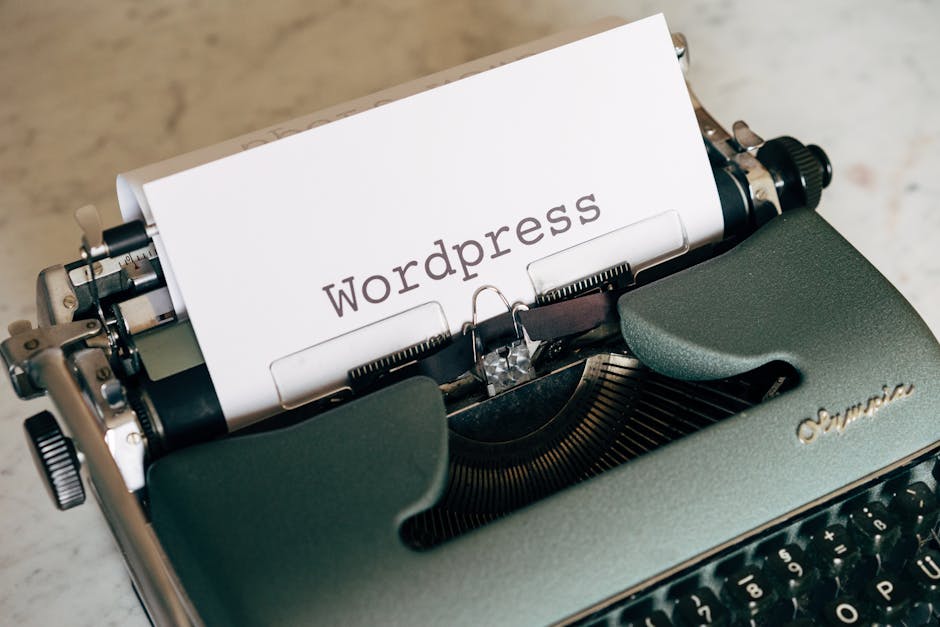
*Photo by Markus Winkler on Pexels*
## What Are WordPress and Static Sites?
WordPress is a dynamic content management system (CMS) that uses a database to store and serve pages. You install themes and plugins to control design and functionality.
Static sites consist of pre-built HTML, CSS, and JavaScript files. No database or server-side processing is needed. They are often generated using tools like Hugo, Jekyll, or Gatsby.
Key differences:
- WordPress: Requires PHP and MySQL hosting, regular updates, and plugin maintenance
- Static sites: Simple file hosting on CDNs like Netlify or GitHub Pages
- WordPress: Excellent for non-technical users with visual editors
- Static sites: Best for developers comfortable with command line and Git
## Core Web Vitals: Where Static Sites Dominate
Google’s Core Web Vitals measure Largest Contentful Paint (LCP), First Input Delay (FID), and Cumulative Layout Shift (CLS). Static sites naturally excel here.
Why static sites win:
- No database queries — pages load instantly
- Pre-built files reduce server response time
- Easier to achieve perfect Lighthouse scores
- Minimal JavaScript bloat
WordPress challenges:
- Heavy themes and plugins slow LCP
- Dynamic content requires server processing
- Too many scripts can cause CLS issues
Actionable fix: If you stick with WordPress, use a lightweight theme like GeneratePress or Astra, and install a caching plugin like WP Rocket. For static sites, simply host on a fast CDN.

*Photo by Marek Prášil on Pexels*
## SEO Plugins and Tools: WordPress Wins Hands Down
WordPress offers mature SEO plugins that automate technical tasks. Static sites lack equivalent tools.
Best WordPress SEO plugins:
- Yoast SEO — readability analysis, XML sitemaps, meta tags
- Rank Math — schema markup, redirection manager, keyword tracking
- All in One SEO — easy setup for beginners
Static site limitations:
- Must manually edit meta titles and descriptions
- No built-in sitemap generators (requires build-time scripts)
- Schema markup needs custom code or headless CMS integration
Bottom line: For content-heavy sites with frequent updates, WordPress saves hours of manual work. Static sites require development time for every SEO tweak.
## Content Management and Updates
Search engines favor fresh content. WordPress makes publishing simple; static sites add friction.
WordPress benefits:
- Drag-and-drop page builders (Elementor, Gutenberg)
- Scheduled publishing for blog posts
- Instant updates without rebuilding
- Draft and revision history
Static site drawbacks:
- Each update requires rebuilding the entire site
- No visual editor — you write Markdown or HTML
- Changes take minutes to deploy, not seconds
When static works: If your site changes monthly (portfolio, landing page), the rebuild time is acceptable. For daily blogging, WordPress is essential.
## Security and SEO Impact
Security issues hurt rankings. Google penalizes hacked sites.
WordPress vulnerabilities:
- Outdated plugins and themes are common attack vectors
- Brute force login attempts require protection (Wordfence, Sucuri)
- Regular updates are mandatory
Static site security:
- No database means no SQL injection
- No login page to brute force
- Files are read-only — malware rarely infects
SEO result: Static sites have zero downtime from security breaches. WordPress requires vigilance. If you neglect updates, expect ranking drops.
## Hosting and Cost Comparison
Your hosting choice affects site speed and uptime — both SEO signals.
| Feature | WordPress | Static Site |
|---|---|---|
| Hosting cost | $5–$30/month (shared or managed) | Free–$10/month (CDN) |
| Server requirements | PHP, MySQL, caching setup | Any static file server |
| Scalability | Needs caching for traffic spikes | Handles millions of visitors natively |
| Maintenance | Weekly updates, backups | Almost zero maintenance |
| Speed | Good with caching | Excellent by default |
Recommendation: Start with WordPress on managed hosting (Kinsta, WP Engine) for ease. Choose static sites for budget projects or high-traffic marketing sites.

*Photo by Kindel Media on Pexels*
## Which One Should You Choose?
Choose WordPress if:
- You need frequent content updates (blog, news, ecommerce)
- You want SEO plugins and automation
- You prefer visual editing without coding
- Your site has dynamic features (user comments, forms, memberships)
Choose Static Sites if:
- Speed is your #1 priority
- Your content rarely changes
- You have development skills or use a headless CMS
- You want zero security worries
Hybrid option: Use WordPress as a headless CMS with a static frontend (Gatsby + WordPress). You get the best of both worlds — easy content management and lightning-fast static delivery.
## Conclusion
Both WordPress and static sites can achieve top Google rankings, but they serve different needs. WordPress is the practical choice for most site owners due to its plugin ecosystem and content management ease. Static sites are unbeatable for raw speed and security, but require technical know-how. Your decision should balance your skill level, update frequency, and performance goals.
For ready-to-use templates that work perfectly with either platform, visit pagebuild.store. We offer premium website templates optimized for speed and SEO — whether you choose WordPress or a static site. Start building today and see your rankings improve.