How to Design a Portfolio Website That Gets You Hired as a Freelancer
Template Details
| Responsive | No |
Your portfolio website is your 24/7 sales pitch. To get hired, it must showcase your best work, build trust instantly, and make it effortless for clients to contact you. Focus on a clean layout, fast loading, mobile responsiveness, and a clear call-to-action on every page. Prioritize case studies over generic galleries, and always include client testimonials. A well-designed portfolio doesn’t just display work—it tells a story of how you solve problems and deliver results.
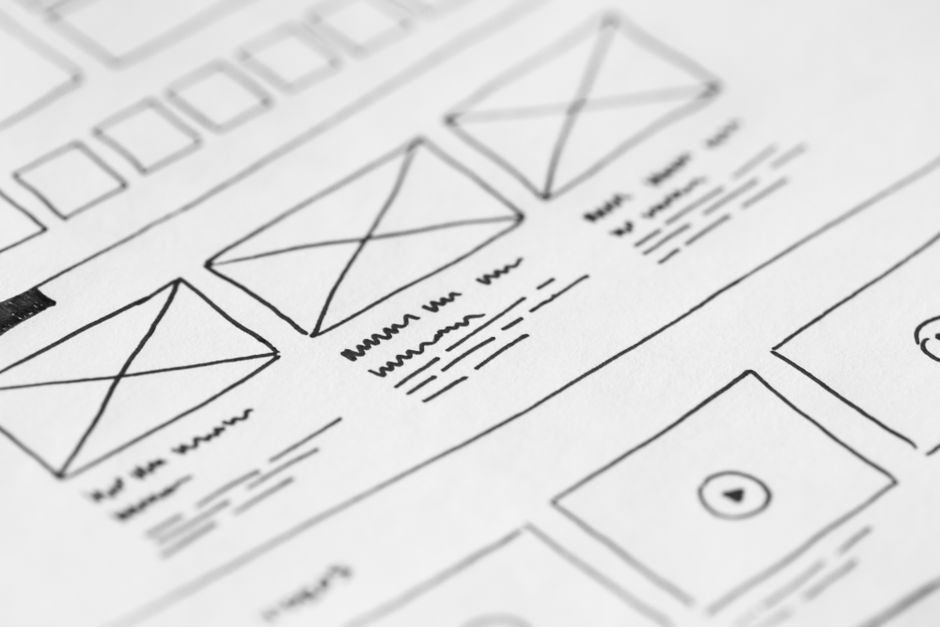
Photo by picjumbo.com on Pexels
## Why Your Portfolio Website Matters More Than Your Resume
Clients don’t care about your GPA or job titles. They want proof you can deliver. A portfolio website gives you:
- Complete control over your brand and narrative
- Instant credibility with professional design
- Searchability through Google and social sharing
- Lead generation 24/7 without active pitching
## 8 Essential Elements of a High-Converting Portfolio
### 1. A Clear, One-Line Headline
State exactly what you do and who you help. Bad: “Freelance Designer.” Good: “I help SaaS startups convert more users through data-driven UI/UX design.”
### 2. Featured Work (Your Best 3-5 Projects)
Don’t show everything. Curate ruthlessly. Each project should include:
- The problem the client faced
- Your solution (with screenshots or mockups)
- The results (metrics: increased conversion by 40%, saved 20 hours/week)
### 3. An About Section That Builds Trust
Keep it short—4-5 sentences max. Focus on your expertise, your process, and why clients enjoy working with you. Add a professional photo.
### 4. Client Testimonials or Logos
Nothing sells like social proof. If you’re new, offer a discount for testimonials. Display logos of past clients prominently.
### 5. A Clear Call-to-Action (CTA)
Every page should guide visitors toward one action: “Book a Free Consultation,” “View My Rates,” or “Send a Brief.” Make it impossible to miss.
### 6. Contact Information (Multiple Options)
Include a contact form, email address, and links to LinkedIn or Dribbble. Remove friction—never hide your contact details.
### 7. Fast Loading Speed & Mobile Optimization
Over 50% of traffic comes from mobile. Use compressed images, minimal animations, and a responsive template. Test on real devices.
### 8. A Blog or Case Studies Section
Show your expertise through helpful content. Write about common client problems, design trends, or project breakdowns. This boosts SEO and positions you as an authority.
## Portfolio Design Comparison: DIY vs. Template vs. Custom
| Feature | DIY (From Scratch) | Premium Template | Custom Development |
|---|---|---|---|
| Time to launch | 2-6 weeks | 1-3 days | 4-12 weeks |
| Cost | Free (your time) | $29-$99 | $2,000-$10,000 |
| Design quality | Varies widely | Professional | Unique |
| Mobile responsive | Requires manual work | Built-in | Custom |
| SEO setup | Self-taught | Often pre-optimized | Developer-dependent |
| Best for | Developers, learners | Most freelancers | Agencies, high-end brands |
Verdict: For 90% of freelancers, a high-quality template is the fastest, most affordable route to a professional portfolio.
## Step-by-Step: How to Build Your Portfolio in 5 Days
### Day 1: Choose Your Template
Pick a template from pagebuild.store that matches your style. Look for:
- Clean, minimal layouts
- Built-in contact form
- Portfolio/gallery sections
- Fast loading code
### Day 2: Select Your Best Work
Choose 3-5 projects that show variety and results. For each project, write:
- Client name and industry
- Your role (designer, developer, strategist)
- Key challenge and your approach
- Measurable outcomes (numbers, percentages, time saved)
### Day 3: Write Your Copy
Draft these pages:
- Home: Headline, subheadline, 3 key benefits, CTA button
- About: Short bio, your process, fun fact (humanizes you)
- Portfolio: 3-5 project case studies
- Contact: Form, email, social links

Photo by Amina Filkins on Pexels
### Day 4: Add Visuals & Testimonials
- Use high-quality screenshots (no pixelation)
- Add your photo to the About section
- Insert 2-3 client quotes (or ask past clients for them)
- Use consistent colors and fonts from your template
### Day 5: Launch & Promote
- Test on desktop, tablet, and mobile
- Check all links and forms work
- Add Google Analytics for tracking
- Share on LinkedIn, Twitter, and your email signature
## 3 Common Portfolio Mistakes (And How to Fix Them)
Mistake #1: Too Much Text
Fix it: Use bullet points, short paragraphs, and plenty of white space. Clients scan first.
Mistake #2: No Results Shown
Fix it: Replace “I redesigned their website” with “Redesigned their website, resulting in a 34% increase in leads within 2 months.”
Mistake #3: Hidden Contact Info
Fix it: Put your CTA above the fold and on every page. Never make clients hunt for how to reach you.
## How to Get Your First Clients With Your New Portfolio
Once your site is live, use these tactics to drive traffic:
1. Add your portfolio link to your LinkedIn profile and email signature
2. Share case studies on social media and in relevant groups
3. Guest post on industry blogs with a link back to your portfolio
4. Pitch past clients for referrals or repeat work
5. Use cold email with a personalized link to a relevant project

Photo by cottonbro studio on Pexels
## Conclusion: Your Portfolio Is Your Best Investment
Your portfolio website isn’t a luxury—it’s your most powerful marketing tool. It works for you while you sleep, builds trust before you even speak to a client, and proves your value with real results. Don’t overthink the design. Use a proven template, focus on clear copy and strong case studies, and launch quickly. You can always iterate later.
Ready to build a portfolio that lands clients? Browse our collection of professional, mobile-responsive website templates at pagebuild.store. Choose a design, customize it with your work, and start getting hired within days. Your next client is just one click away.